Robert Desprez Communications

  • My Services
  • My Blog
  • About Me
  • Contact Me

How to use illustrations to make your
technical docs clearer

September 27, 2013 by RDesprez 3 Comments

Images can be a suc­cinct and effec­tive way to con­vey a mes­sage. Yet I don’t see many illus­tra­tions being used in tech­ni­cal com­mu­ni­ca­tions. Many writers—including me—don’t think their strength is illustrating.

Dan Roam, in his book The Back of the Nap­kin, argues that one does­n’t have to be a gift­ed artist or use Adobe Illus­tra­tor or Microsoft Pow­er­Point to cre­ate effec­tive images. Draw­ings can be as sim­ple as hand-drawn pic­tures, he says. Indeed, his book is brim­ming  with draw­ings that resem­ble doo­dles. One of my favorite things about Roam’s book is that he offers a frame­work that helps read­ers think about how to approach illustrating.

Here are some of the draw­ings he discusses:

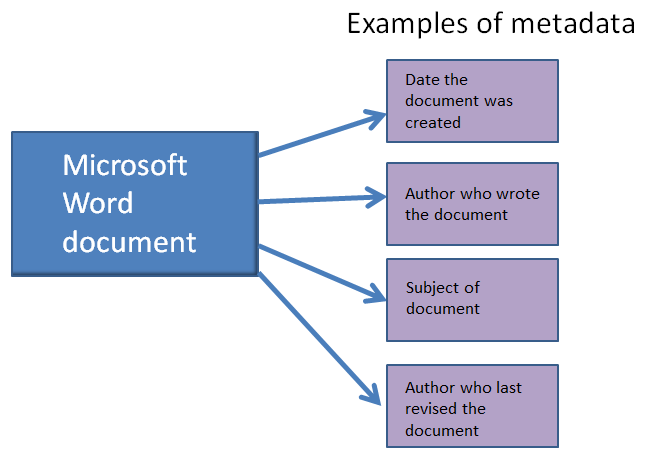
  • Por­traits: To explain a con­cept that address­es the “who” or “what,” Roam rec­om­mends using a qual­i­ta­tive dia­gram. For exam­ple, many peo­ple strug­gle with under­stand­ing the term “meta­da­ta.” You could try to define it (such as “it’s data about data.”) But that def­i­n­i­tion often leaves peo­ple still scratch­ing their heads. An alter­na­tive solution—you could draw it.

Example of metadata

In short, meta­da­ta pro­vides more details about a doc­u­ment, such as who wrote the file, when the per­son wrote it, the point of the doc­u­ment, and so on.

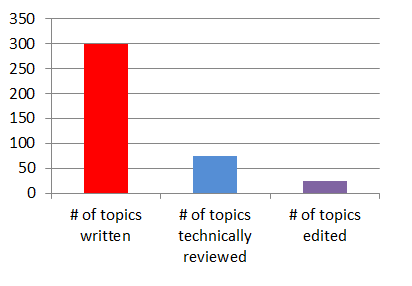
  •  Charts: If you’re try­ing to com­mu­ni­cate a quan­ti­ty, writ­ing about it may suf­fice. But if you’re per­form­ing a com­par­i­son, a pie chart or bar chart is the best choice. Here’s a fic­ti­tious example:

example_chart

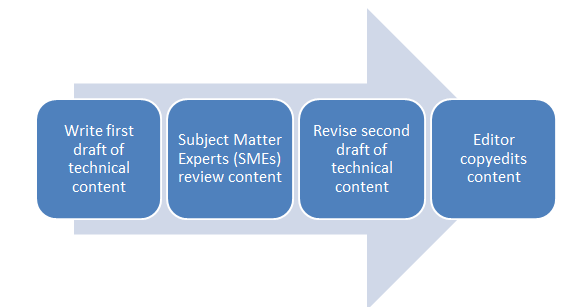
  • Time­lines: To explain a process or work­flow, you could try explain­ing each step. Anoth­er way to accom­plish the same thing is by using a sim­ple work­flow dia­gram, which explains “when” some­thing hap­pens in a process. For work­flows, I fre­quent­ly use Microsoft Office’s Smar­tArt fea­ture. Here’s a sam­ple work­flow I cre­at­ed that con­veys a com­mon­ly used approach to cre­at­ing tech­ni­cal documents:

Authoring_process

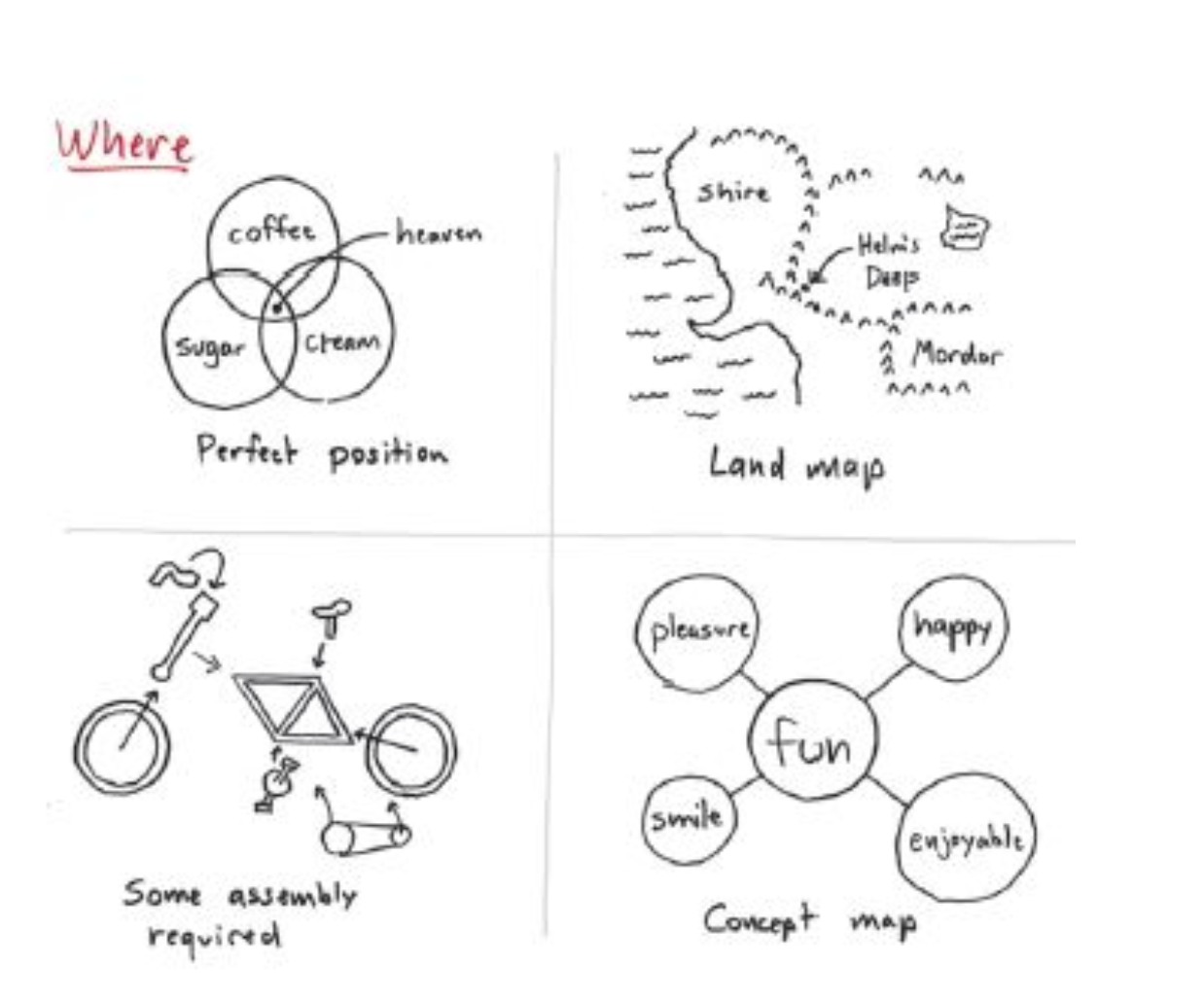
  • Maps: When explain­ing the rela­tion­ship of one object to anoth­er, Roam rec­om­mends you use a map. When I think of maps, I tend to think of street maps. But that’s too nar­row a def­i­n­i­tion. Maps can show all sorts of things. From Roam’s book, here’s one exam­ple that explains the rela­tion­ship among objects:

Example of a map

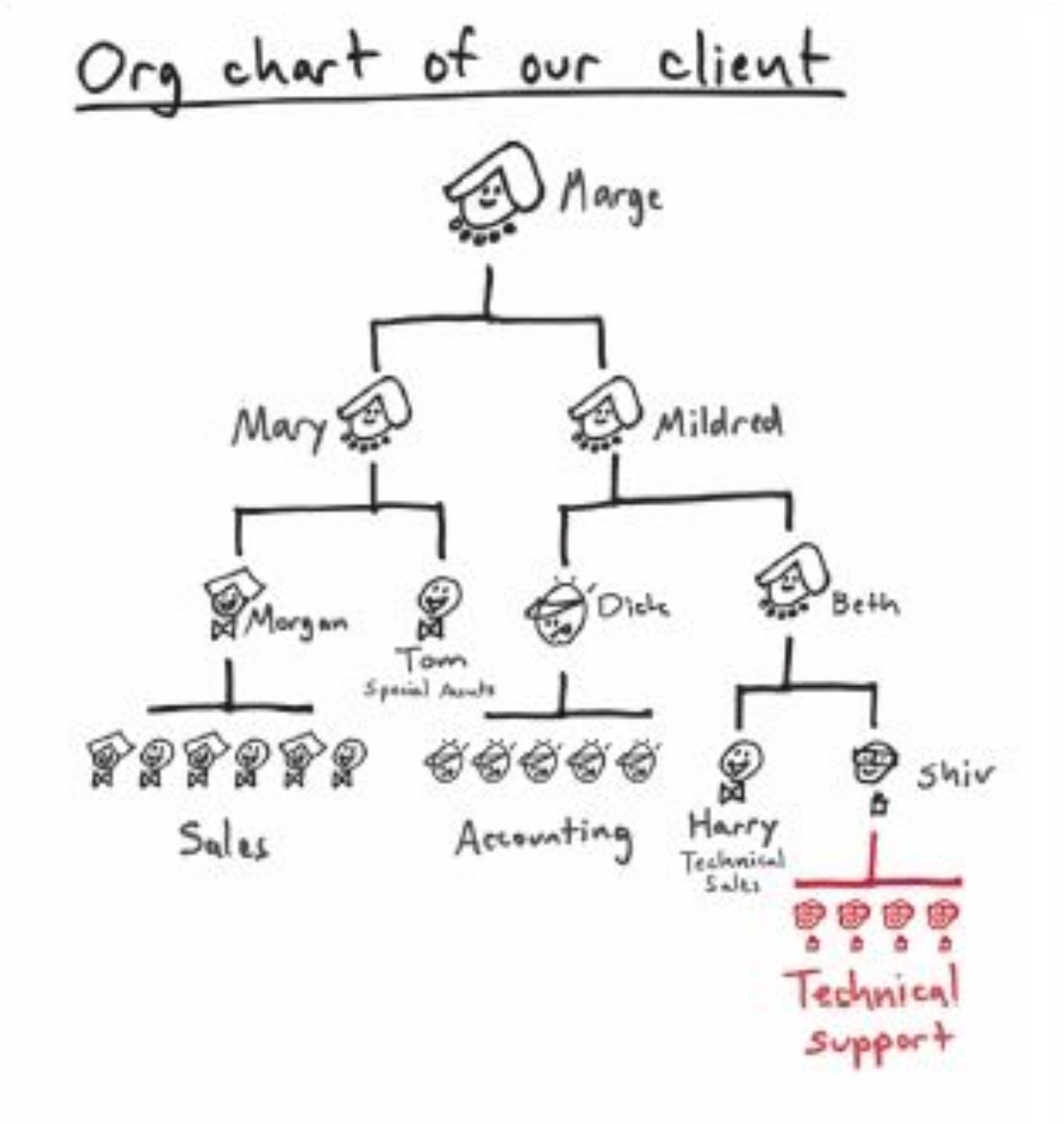
Here’s anoth­er screen cap­ture from Roam’s book that shows an orga­ni­za­tion­al chart, which is just anoth­er type of map:

Organizational chart

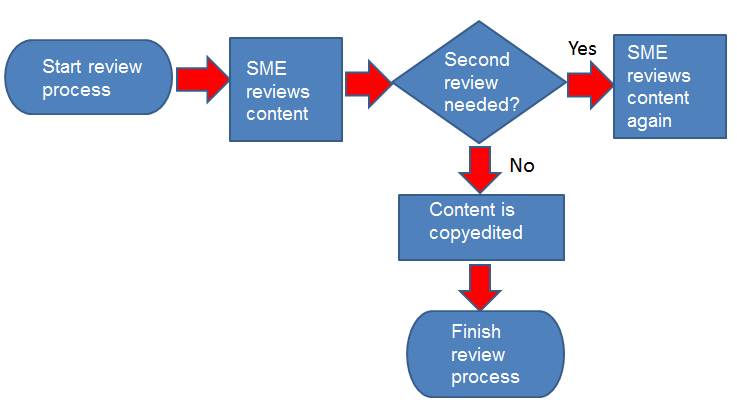
  •  Flow­charts:  Flow­charts are tools that explain “how” a process works. If you’re seri­ous about flow­charts, you could use Visio. For end-user doc­u­men­ta­tion, I find Visio dia­grams too tech­ni­cal look­ing and uninvit­ing. I cre­at­ed this sim­ple flow­chart in Pow­er­Point that explains one way to review tech­ni­cal documents:

Example of flowchart

In this blog entry, I’ve just scratched the sur­face of Roam’s book. The Back of the Nap­kin is well worth a read for tech­ni­cal writ­ers who want to diver­si­fy their skill set and use visu­al think­ing to work through com­plex tech­ni­cal concepts.

Filed Under: Career Development, Robert Desprez | Vancouver technical writer | Blog Tagged With: career development, illustrations, online writing, technical writing, using graphics

About Robert Desprez

I have worked as a Vancouver technical writer for more than 20 years, working at some of British Columbia's largest high-tech firms. I have served in leadership positions for the Society for Technical Communication and have worked as a writing instructor at Vancouver's Simon Fraser University.

Robert Desprez Follow 1,204 239

Vancouver Technical Writer. Former Instructor at Simon Fraser University. Dog Lover. Coffee Drinker. Tennis and Piano Player.

robert_desprez
robert_desprez avatar; Robert Desprez @robert_desprez ·
11 Apr 2043062547159589215

Image for twitter card

ChatGPT vs. Gemini: I Tested Both, and the Winner Might Surpise You

Curious about AI chatbots but don’t know where to start? ChatGPT and Gemini are two of the best, and I'm her...

www.pcmag.com

Reply on Twitter 2043062547159589215 Retweet on Twitter 2043062547159589215 0 Like on Twitter 2043062547159589215 0 Twitter 2043062547159589215
robert_desprez avatar; Robert Desprez @robert_desprez ·
22 Mar 2035801301733527930

Image for twitter card

Remote work can help offset oil price shock, IEA says | LinkedIn

The International Energy Agency has outlined 10 strategies to help oil-consuming nations mitigate the impact of rising prices.

www.linkedin.com

Reply on Twitter 2035801301733527930 Retweet on Twitter 2035801301733527930 0 Like on Twitter 2035801301733527930 0 Twitter 2035801301733527930
robert_desprez avatar; Robert Desprez @robert_desprez ·
21 Mar 2035393914396692588

‘Microshifting’ puts a new spin on 9-to-5 schedules

Image for twitter card

‘Microshifting’ puts a new spin on 9-to-5 schedules

A new way of scheduling work time is remaking the typical nine-to-five routine. “Microshifting” is a trend that ...

apnews.com

Reply on Twitter 2035393914396692588 Retweet on Twitter 2035393914396692588 0 Like on Twitter 2035393914396692588 0 Twitter 2035393914396692588
robert_desprez avatar; Robert Desprez @robert_desprez ·
16 Mar 2033691191984984182

The cost of digital disorganization is nearly a month of productivity per year

Image for twitter card

The cost of digital disorganization is nearly a month of productivity per year

The problem often stems from unclear systems and ownership inside organizations, but simple habits and clearer workflo...

www.theglobeandmail.com

Reply on Twitter 2033691191984984182 Retweet on Twitter 2033691191984984182 0 Like on Twitter 2033691191984984182 0 Twitter 2033691191984984182
Load More

Recent Blog Posts

  • Using ChatGPT to read smarter
  • ChatGPT: The AI-powered proofreader
  • Four ways Confluence could be better
  • First impressions of MadCap’s purchase of IXIASOFT

About Me

Robert Desprez I have worked as a Vancouver technical writer for more than 20 years, working at Kodak, Boeing, Teck Resources, and FortisBC. In addition, I have worked as a writing instructor at Simon Fraser University in Vancouver.

Contact Me

Robert Desprez Com­mu­ni­ca­tions Inc.
North Van­cou­ver, British Columbia
Canada
Phone: 604–836-4290

  • Email
  • LinkedIn
  • Twitter

Copyright © 2026  · Robert Desprez Communications Inc.