New Help Authoring Tools can create output files, such as HTML5 Help, mobile apps, and EPUB files. In this blog post, I am going to touch on what I see are the strengths of HTML5 Help and mobile apps.
First, some definitions are in order. A mobile application, most commonly referred to as an app, is a type of application software designed to run on a mobile device, such as a smartphone or a tablet computer. HTML5 is a markup language used for structuring and presenting content on the World Wide Web and is supported by all modern browsers. When I refer to HTML5 Help, I am referring to a help project that can be viewed on computers, tablets, and smartphones.
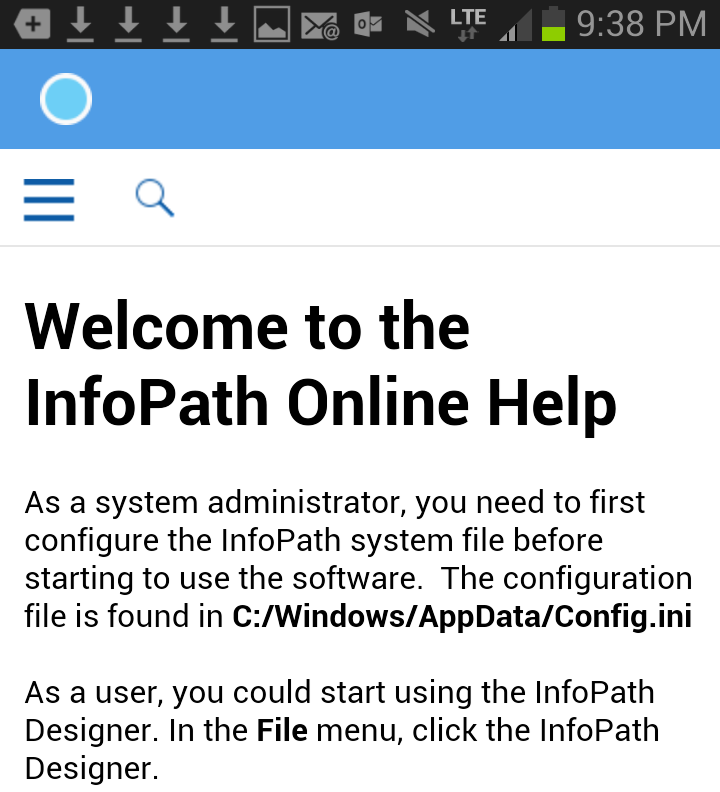
The following image shows a screen capture of an app for a fictitious product called InfoPath.
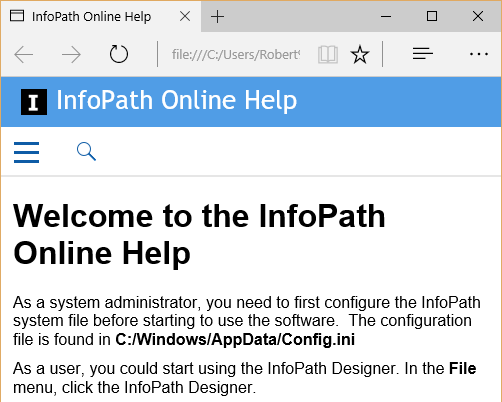
The next image shows an HTML5 Help project that is displayed on a computer.
Strengths of Creating an App
- The popularity of apps is undeniable. Eighty-five percent of users said they prefer using apps compared to mobile web sites. In addition, users are spending more time using apps—an increase of 21 percent in 2015 compared to the previous year. Source: Business2Community
- Ideal for users who have an intermittent connection to the Internet: Once the app is installed on a smartphone or tablet, it no longer requires a wireless or mobile connection to view the content. In contrast, HTML5 Help systems require a browser, which usually needs an Internet connection to view the content (although some browsers, such as Google Chrome, can run in offline mode).
- Speed: Users will get the answers they need faster using an app versus launching a browser, navigating to your help page, and waiting for the content to appear.
- Higher visibility: An app is installed on a user’s smartphone or tablet, making it easy to locate and launch. In contrast, an online help system is typically included in a software package and may not be easy to find or open.
- Easy to create: I’ve created apps in RoboHelp (2015 release) and FrameMaker (2015 release). Once you have performed some configuration steps in both programs, creating an app is straightforward. Note: If you plan to create iOS applications, you need to purchase an Apple developer account for $99 US per year.
Aside the previous list, there are other issues to consider, such as how will your app be distributed to users so they can view your content.
Strengths of HTML5 Help
- HTML5 Help automatically adjusts to the user’s screen: Responsive HTML5 Help changes the way the content is presented, based on the device the user is using. For example, when viewing content on a PC, a user sees online help with a traditional layout while someone using a smartphone will see a table of contents that is optimized for touch. Responsive HTML5 Help automatically adjusts to the user’s screen and adjusts to dynamic screen size changes, such as a flip of the orientation or resizing of the browser. As a technical writer, you can author new content or take your legacy content and quickly output it so that it can be viewed on PCs, Macs, and smartphones and tablets running iOS and Android.
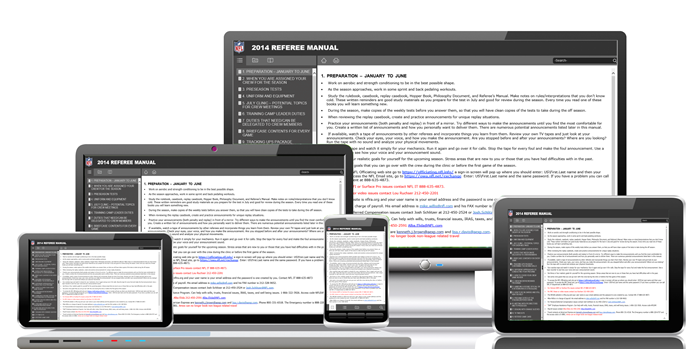
Source for image: http://techwhirl.com/adobe-technical-communication-suite-2015-release-profile/)
- Low learning curve: A technical writer creates Responsive HTML5 Help in much the same way as traditional help projects, such as WebHelp or Microsoft HTML Help. For any writer that has created online help in the past, creating responsive HTML5 Help is straightforward. In contrast, creating a mobile app requires some additional configuration steps, including purchasing an Apple developer account for iOS applications.
- Consistent user experience across platforms: When using FrameMaker or RoboHelp (2015 releases), one of the benefits of responsive HTML5 Help is it enables users to experience a similar help system—including branding and corporate colors that you can easily customize—across devices. Whether your users are running a PC, Mac, smartphone, or tablet, the responsive HTML5 Help provides a consistent user experience.
 I have worked as a
The app certainly looks good … but I do wonder when, in a software context, people would want to be reading the help content on their GSM if they aren’t already using the application the help belongs to? given the difficulty we usually have persuading users to read any help information at all.
One of the help sets I deliver at the moment is for a PC-based application for use in on a secure PC with no internet connection – starting from DITA-compliant XML and the excellent XML Mind editor, I deliver stand-alone WebHelp that seems to meet requirements. I suppose the zealous user could then copy this on to a ‘phone or tablet, but I haven’t heard that anyone has bothered trying :-}
Great article, Robert!
As you know (thanks for attending!), I did a 3‑part series for Adobe on FrameMaker digital publishing.
For those who’d like more detail on setting up, customizing, and producing HTML5 and mobile apps, links to all the posts, recordings, and videos are at
http://www.techcommtools.com/publishing-overview/
-Matt Sullivan
Tech Comm Tools
Author, FrameMaker — Creating and Editing Content (2015)
Hi Niels and Matt,
Thanks for your comments!
Robert